


It’s a familiar story for many IT operations teams: a critical server went down overnight, but the alert was buried in someone’s inbox. By the time anyone noticed, valuable time was lost, SLAs were breached, and the team spent the next morning explaining why an email hadn’t been seen. Email (or even SMS text) alone simply wasn’t reliable enough for something as urgent as incident alerts.
The turning point came when the team decided to integrate SIGNL4 with Zabbix. Setup was fast – within minutes, alerts that once hid in crowded inboxes were now reaching the right on-call engineer – loud, clear, and actionable. Instead of reacting late, the team was responding in real time and the night shifts suddenly felt a lot less stressful.
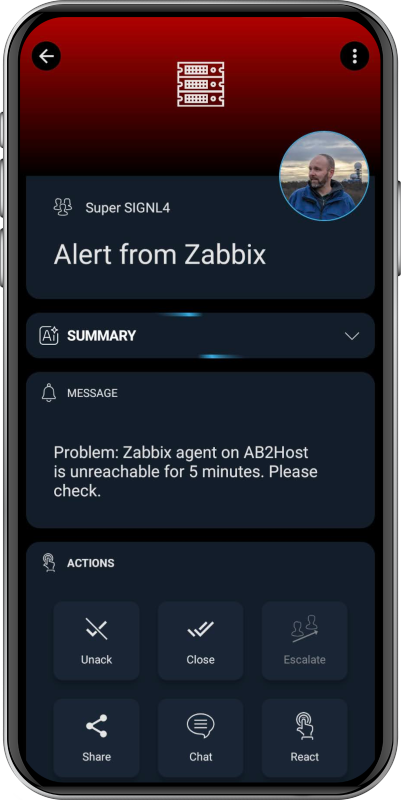
Integration overview and two-way communication
The SIGNL4 integration leverages a Zabbix media type to seamlessly send event data from Zabbix to SIGNL4. Once configured, Zabbix alerts are instantly transformed into mobile push notifications, ensuring rapid delivery and clear visibility for on-call teams.
Beyond alerting, the integration also supports bidirectional status updates between the two systems – including acknowledgements, closures, and annotations. When an on-call engineer acknowledges an alert in the SIGNL4 mobile app, the status is automatically reflected in the Zabbix dashboard.
Likewise, when Zabbix detects recovery (status UP), it triggers an automatic update to close the corresponding alert in SIGNL4. This real-time synchronization keeps both platforms perfectly aligned, maintaining consistent alert and recovery states without any manual effort.
Configuration steps
In the Zabbix web portal go to “Alerts” -> “Media types.”
Find the SIGNL4 media type, enable it, and enter your SIGNL4 team or integration secret in the parameter “teamsecret.” Alternatively, you can leave the default ({ALERT.SENDTO}) and enter the SIGNL4 team secret into the “Send to” parameter of your user.
Update the settings:
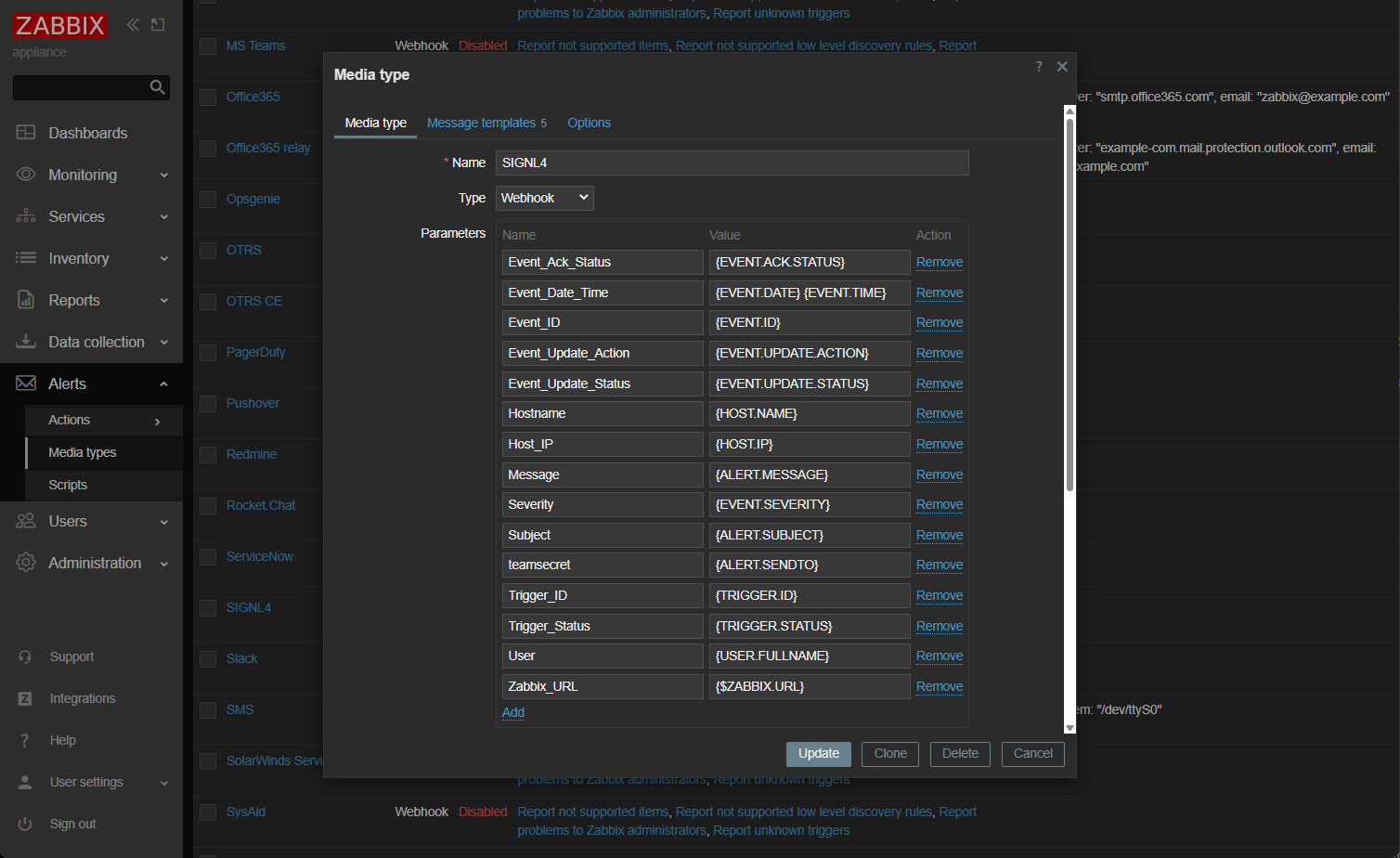
In the media type list click the button “Test” for the SIGNL4 media type to send a test alert. You will receive an alert in your SIGNL4 mobile app.
Under “User settings” -> “Profile” go to “Media” and add the SIGNL4 media type here. Adapt the alerting settings according to your needs.
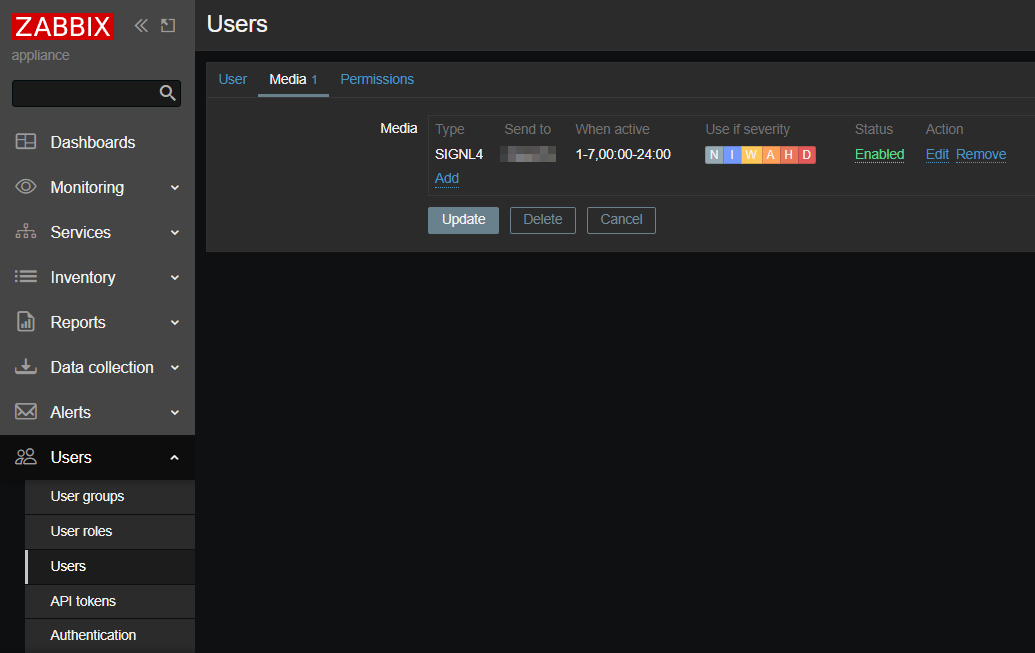
That’s it! Now a SIGNL4 alert is triggered every time Zabbix sends an alert to your Zabbix user.
Back-channel configuration for status updates
In the SIGNL4 web portal go to “Integrations” -> “Gallery” and look for the “Zabbix (<-)” integration. Note the arrow pointing to the left.
As “Zabbix URL” enter your Zabbix URL, e.g. https://your-zabbix-server/
Next, enter “Your Zabbix API token.” You can find this one as described here.
There’s no need for a username and password – just use the API token.
Enable the integration and click “Install.”
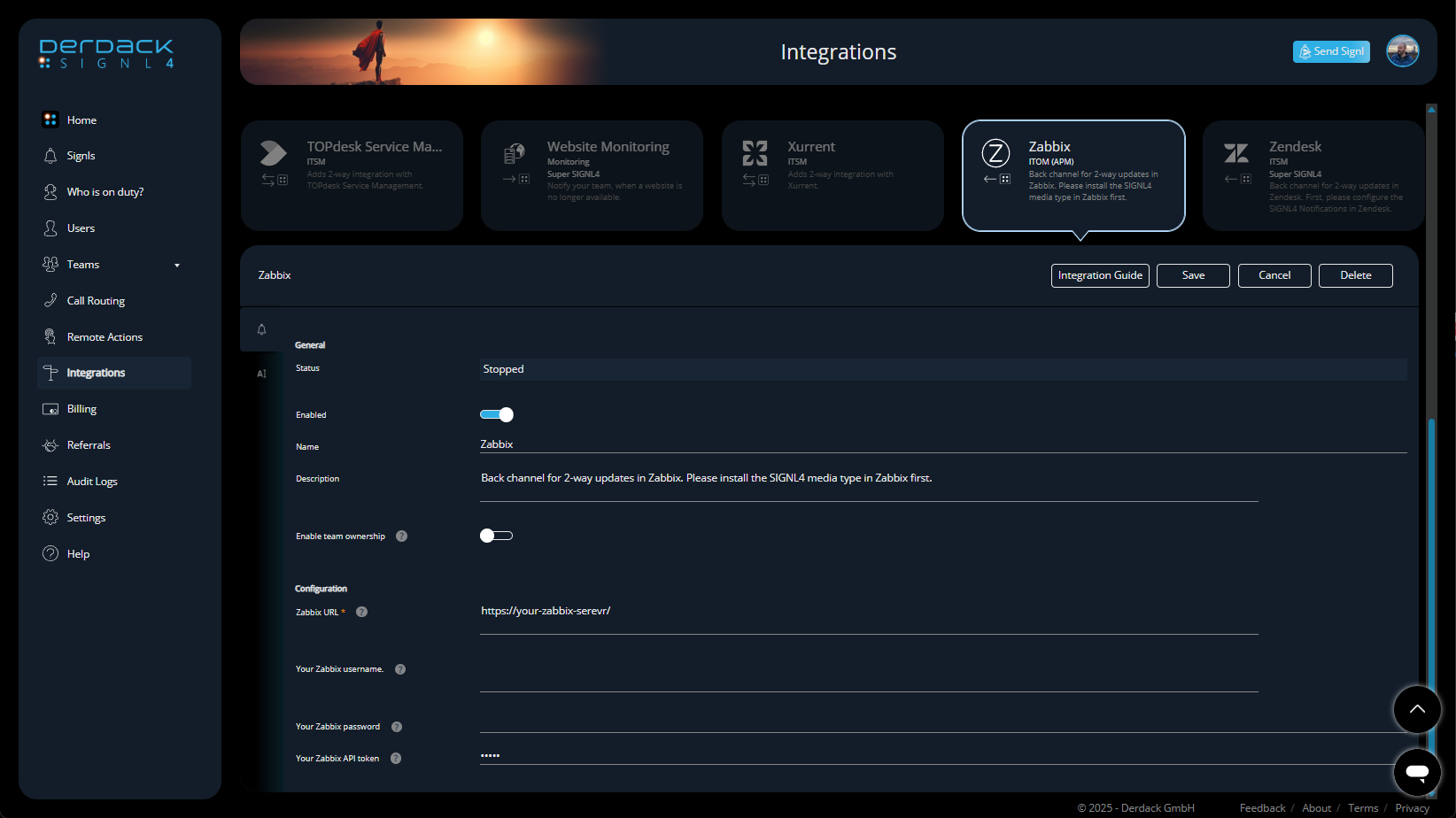
That’s it! Status updates are now sent from SIGNL4 to Zabbix.
For more information, have a look at the integration guide.
Key benefits
- 24/7 Alerting and escalation – Critical Zabbix alerts reach the right people instantly via mobile app, push, SMS, or voice call. This includes escalation, ensuring nothing slips through the cracks.
- On-call duty management – Calendar-based on-call scheduling and automated routing replaces manual escalation, helping teams sleep better and respond smarter.
- Rich, mobile-first notifications – Alerts include key incident details, so engineers can act quickly without logging into dashboards first.
- Team collaboration and acknowledgment tracking – Everyone sees who has picked up an alert, for full transparency and structures response.
- Reduced MTTA/MTTR – Faster acknowledgment and resolution mean less downtime, fewer escalations, and more stable operations.
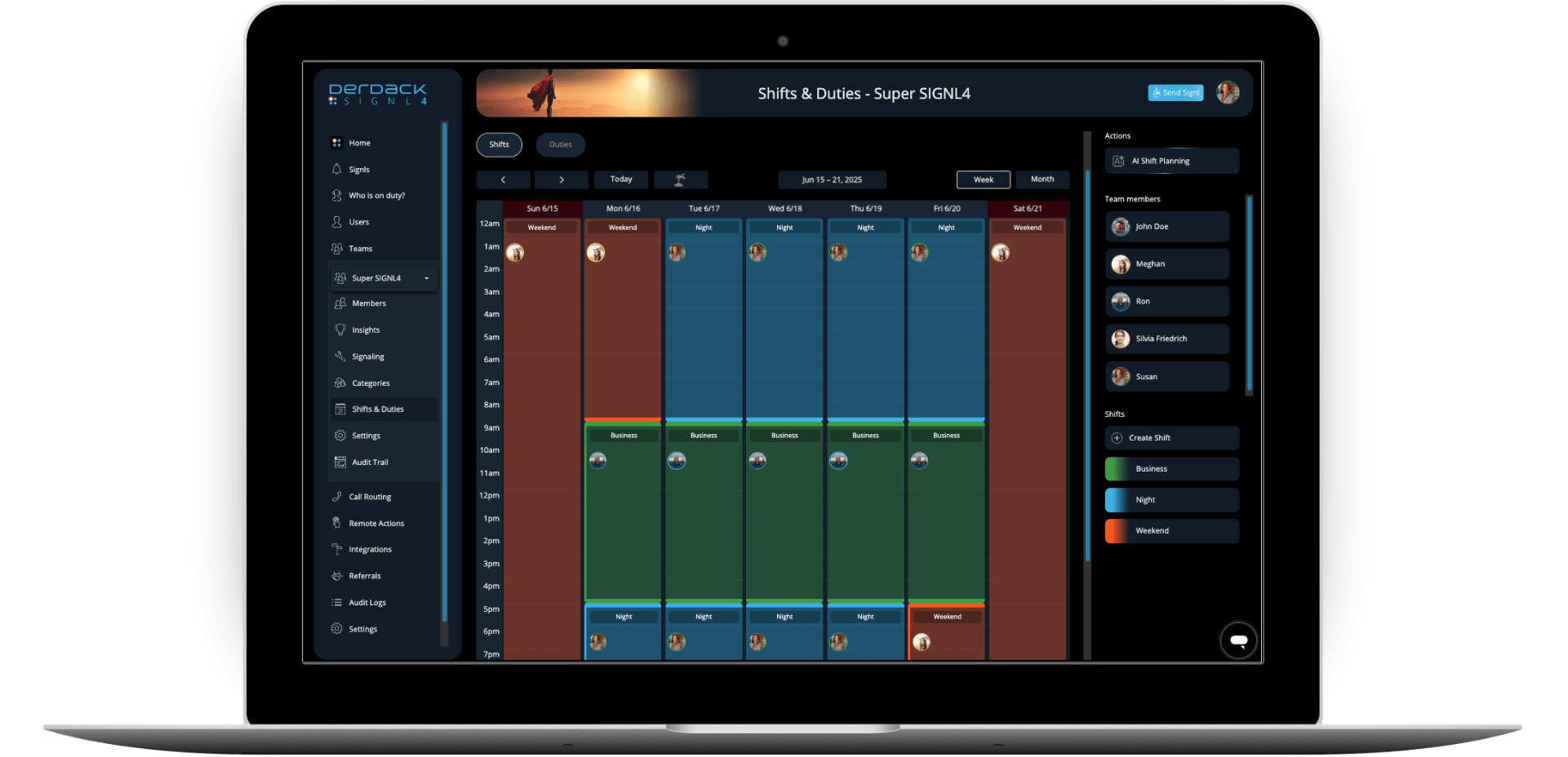
What once felt like a constant struggle with missed notifications has turned into a structured, reliable alerting process. By connecting Zabbix with SIGNL4, the team not only strengthened their incident response but also made on-call duty a lot less of a burden – and that might be the biggest win of all.

 Prev Post




Very nice. Thank you for sharing.