


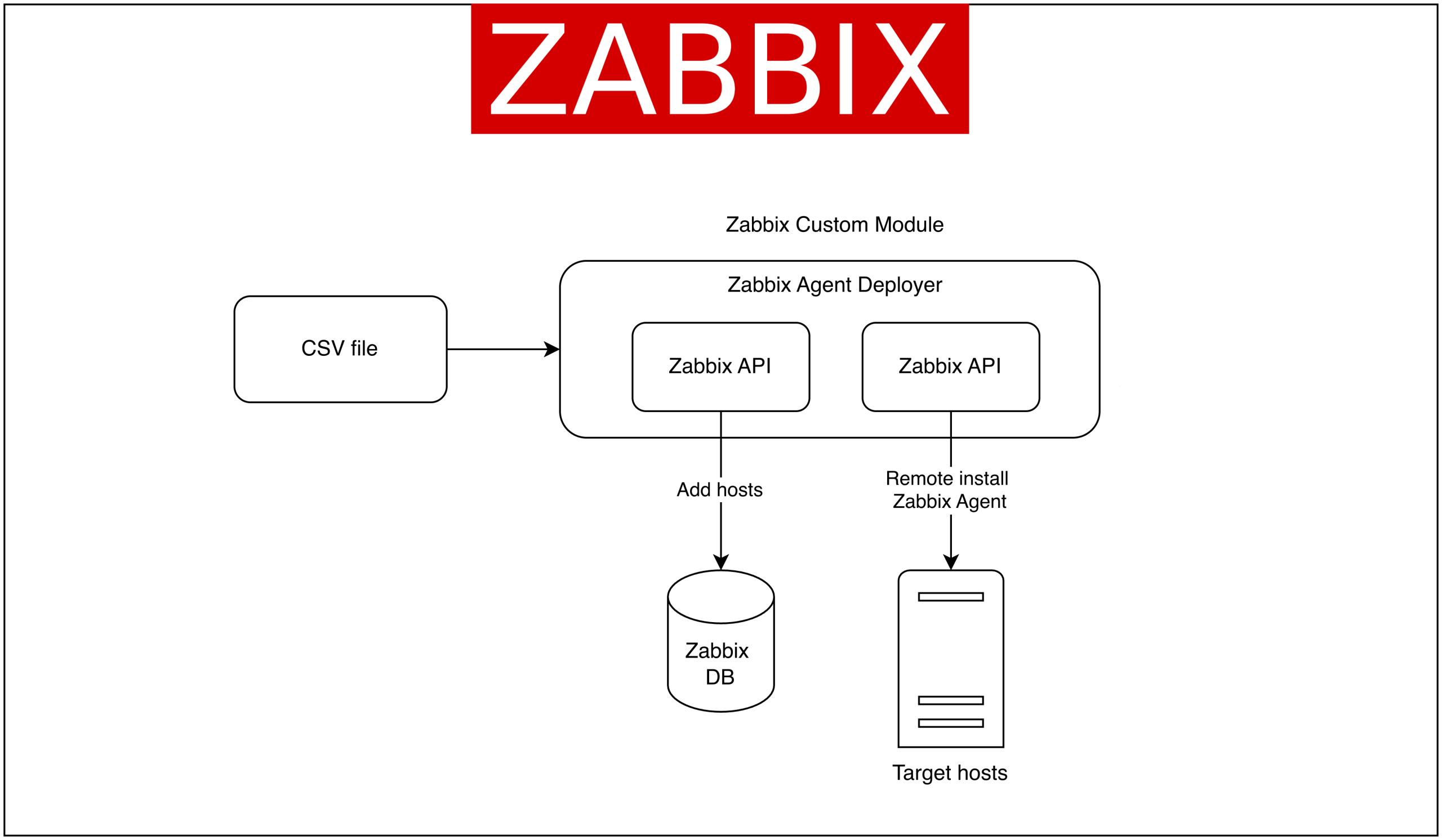
When managing large-scale infrastructure, the process of installing monitoring agents is often repetitive and time-consuming. Administrators must log into each server, manually run installation commands, and configure the agent to connect to the Zabbix server. To address this issue, the Zabbix Agent Deployer custom module was created. This module enables the direct installation of Zabbix agents on multiple hosts from the Zabbix Web interface.
The features of the Zabbix Agent Deployer module include:
- Bulk host list input using a CSV file.
- The ability to automatically add hosts to Zabbix and remotely install the Zabbix Agent on the
associated hosts. - The ability to display installation log results directly within the module.
With this approach, administrators can add new hosts to the monitoring system faster and more efficiently.
Key use cases for the Zabbix Agent installer
The Zabbix Agent Deployer module enables several practical scenarios, including:
1. Faster provisioning for new servers – When adding a large number of servers, agents can be installed simultaneously without requiring a login to each machine.
2. Standardized installation – All agents are installed in the same way using a centralized script, reducing the risk of misconfiguration.
3. Easier additional provisioning – Provisioning new servers is easier for users because they don’t need to configure them directly on the server.
Getting started with the Zabbix Agent Deployer module
Solution overview architecture
To use this module, the main steps are:
1. Upload the custom module to the Zabbix frontend in the /usr/share/zabbix/modules/ directory.
2. Enable the module from the Administration → General → Modules page, and click the Scan Directory button. Locate the Zabbix agent deployer module and click Enabled.
3. Once activated, the Zabbix agent deployer module can be accessed in the Data Collection menu. Here’s a screenshot of the Zabbix agent deployer module.
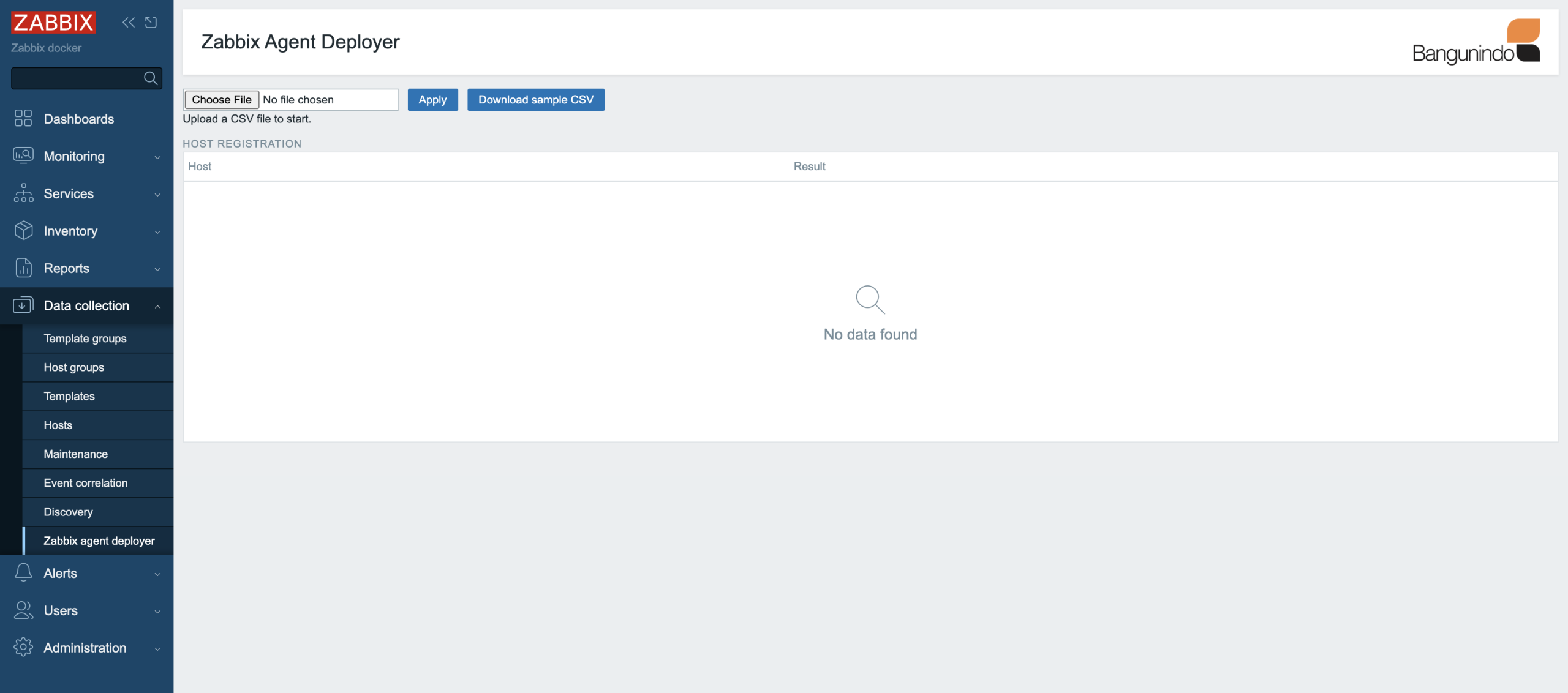
4. Prepare a CSV file like the format below, or download a sample CSV from the module page.

With this CSV file, we will add two hosts to Zabbix to be monitored and automatically install the Zabbix agent on them.
5. Upload the CSV file to the Zabbix agent deployer module page and click Apply.
6. The Zabbix agent deployer module will handle the process of adding hosts to Zabbix and installing the Zabbix agent. The status can be seen as follows:
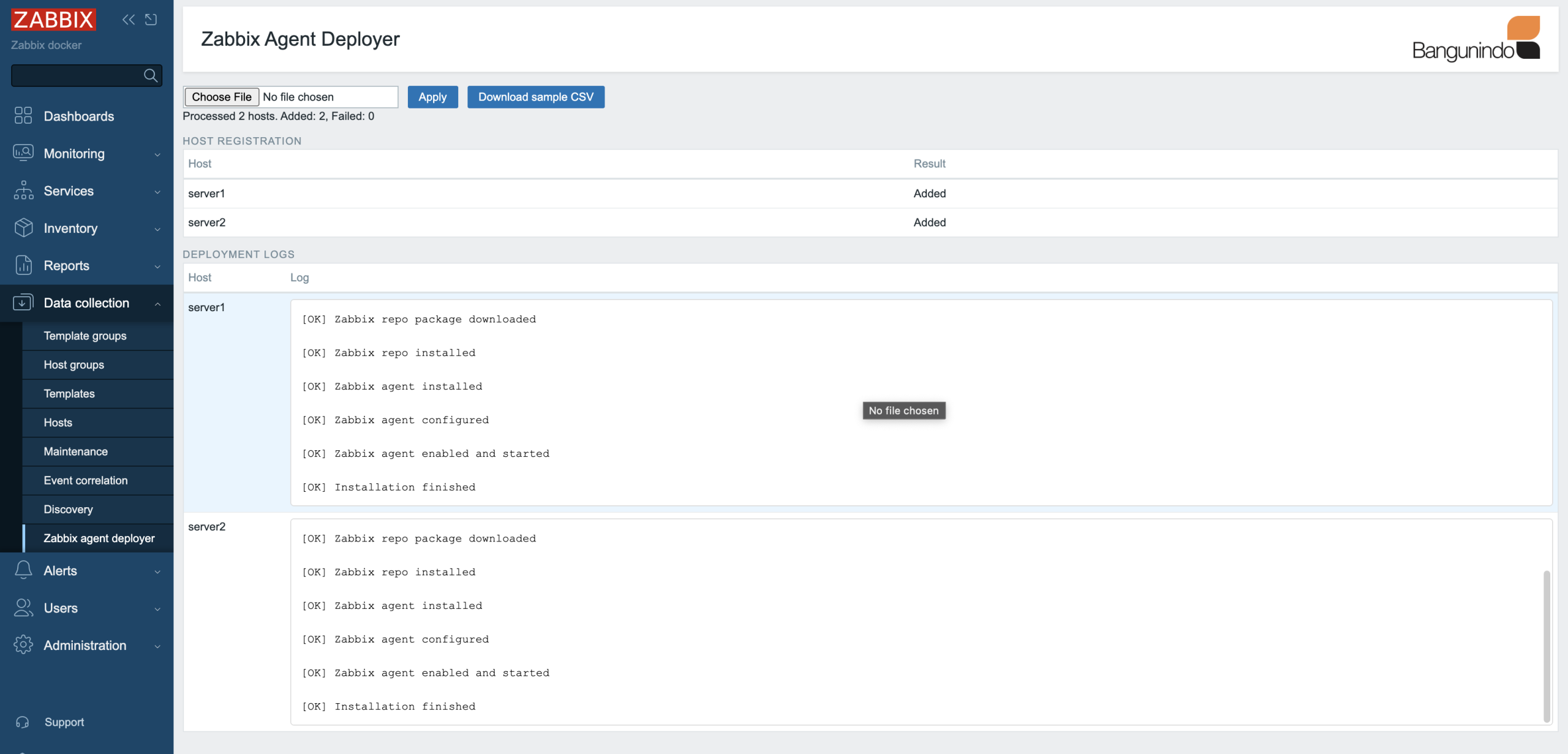
From the image above, server1 and server2 were successfully added to Zabbix, and the Zabbix agent installation was successful!
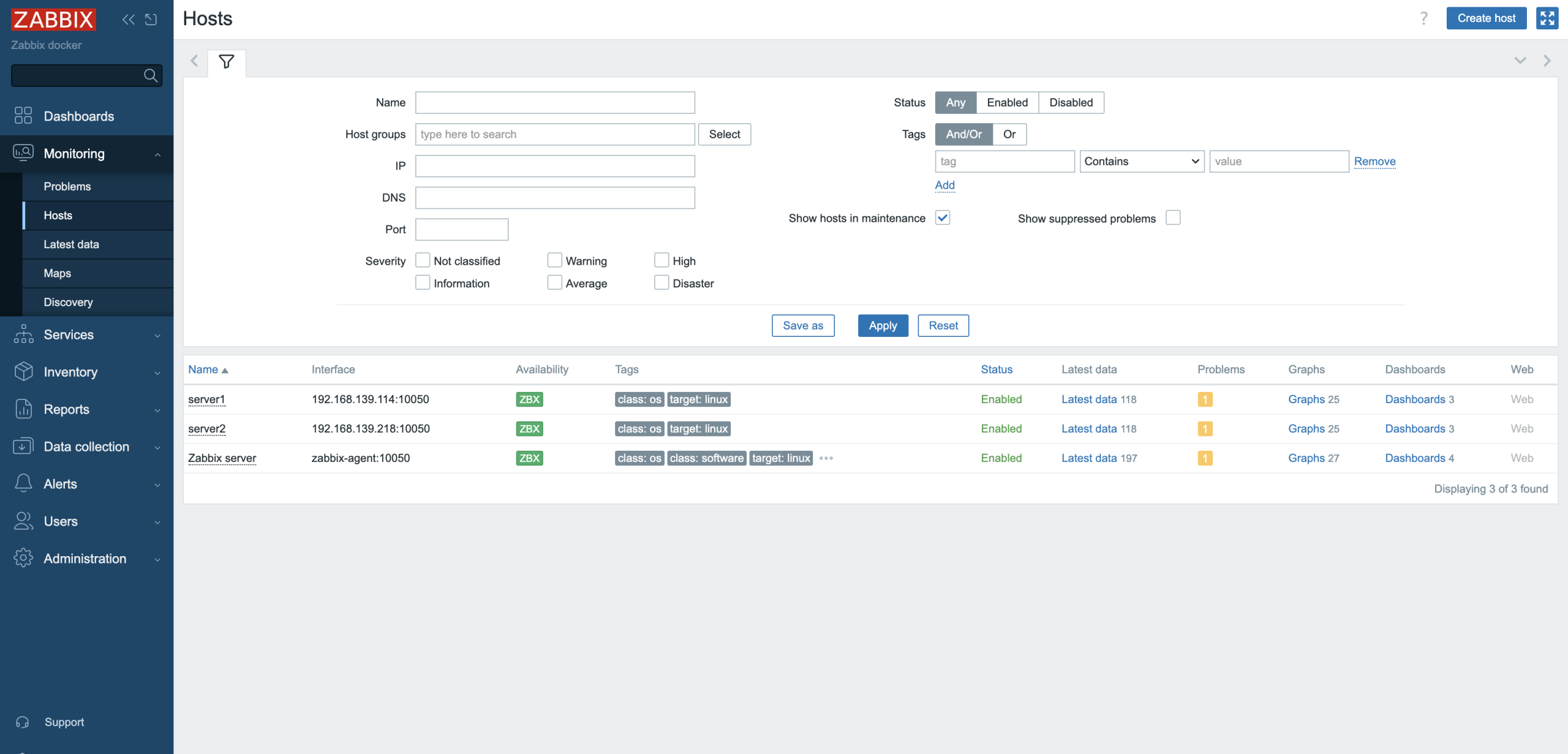
7. Check out the Zabbix hosts list page. Hosts will appear according to the uploaded CSV file.
Conclusion
The implementation of this custom Zabbix Agent installer extends Zabbix’s capabilities beyond its built-in functionality. The Zabbix Agent Deployer module enables a more efficient bulk host addition process, as all steps from adding hosts to Zabbix to installing the Zabbix agent can be integrated through a single page.
If you’re interested in implementing this, please contact us. Bangunindo is a premium Zabbix partner in Indonesia. We’re ready to help you design, implement, and optimize your Zabbix solution to suit your needs.

 Prev Post





Will this work on Windows?
Hi Sir, as far as I know, the Zabbix server only supports Linux OS, but the dashboard is accessible from any OS. The agent installer only works for Debian/Ubuntu OS, as of now.
I don’t think putting credentials in plain text for a list of servers with enough privileges to install software is the way to go. This feels like a poor implementation.
Yes, Mr. Jose, as for now, we can only use the SSH user with sudo privileges to make it work
What about using proxies when spanning multiple external networks?
As long as the Zabbix server can reach the destination server, it is possible.
Hi sir where we would get the zabbix agent installer module? how to install that and how to implement that, kindly provide us the steps to implement this.